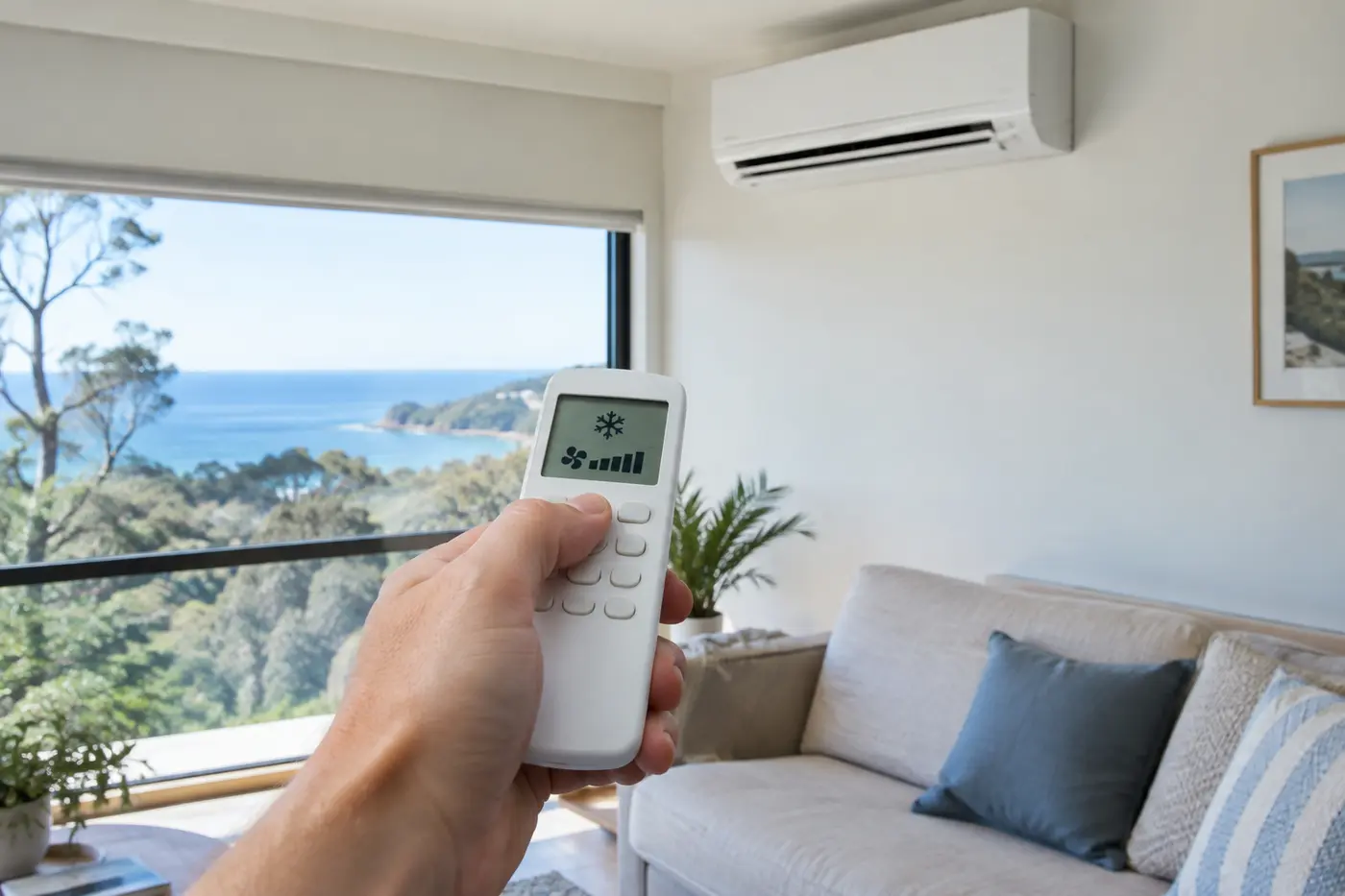
It is a sticky February night in Woy Woy. The house has held the day’s heat, someone grabs the remote, presses a few buttons in the dark, and the split system starts blowing air that feels warmer than the room. Nothing is broken. The remote is sitting on a little sun icon instead of a snowflake, and nobody in the house is quite sure what half the other symbols mean either.
We get some version of that call more often than you would think. So here is a plain guide to air conditioner remote symbols: what each icon does, which ones matter in our humid coastal climate, and which lights on the unit itself mean it is time to get someone to look at it.
Brands tweak their icons, but the core symbols below are shared by almost every split system and ducted controller we work on. If something on yours does not match, search the model number on the indoor unit’s sticker for the manual.
Five mode symbols do most of the work
Most remotes have a MODE button that cycles through the main operating modes. The icon on the screen tells you which one you are in.
Snowflake: cool
This is the one you want on a hot day. The compressor runs, the refrigerant pulls heat out of the room, and the outdoor unit dumps it outside. Cool mode also takes some moisture out of the air as a side effect, which is why a properly cooled room feels less clammy.
Sun: heat
The sun means heat mode, and you will only see it on a reverse cycle system. The unit runs its refrigeration cycle backwards, drawing warmth from the outside air and moving it indoors. It is also the icon people land on by accident in summer.
Water droplet: dry
Dry mode runs the compressor gently with a low fan, so the system pulls moisture from the air without chilling the room hard. On those grey, muggy days around the lakes and the coast, when it is not especially hot but everything feels damp, this is often the more comfortable choice. We cover when to pick it over cool mode in our guide to using dry mode in Central Coast humidity.
Fan or propeller: fan only
This one catches people out. Fan mode moves air around the room, and that is all it does. The compressor stays off, so there is no cooling and no drying. Handy for airing out a stuffy room, but it will not drop the temperature at all.
Circular arrows or an “A”: auto
In auto mode, the unit compares the room temperature with your set temperature and picks cool, heat or fan for you. That sounds ideal, and it often is. The catch is that on a mild evening it can flip to heating if the room drifts below your setting, which leads to plenty of “my air con is blowing hot air” moments in spring and autumn.
The fan and airflow icons decide where the air goes
Once the mode is right, a second group of symbols controls how the air comes out.
Fan speed bars usually show as a row of bars or a fan with lines beside it. More bars means more airflow. Many remotes also have an auto fan setting, often marked “A” next to the bars, which ramps the speed up while the room is far from your setting and then backs it off.
Swing arrows control the louvres, the flaps across the front of the unit. An up and down arrow moves them vertically. A left and right arrow, on units that have it, sweeps the air sideways. Point the air across the room in cool mode, since cold air sinks, and angle it lower in heat mode, since warm air rises.
Powerful, Turbo or Jet (sometimes a fan with a lightning bolt) runs the fan and compressor flat out for a short burst. It is good for cooling a hot room quickly when you get home. On most models it drops back to normal on its own.
Moon, clock and leaf: the icons that save power
These are the buttons most people never press, and they are the ones that make the biggest difference to comfort and running costs.
The moon is sleep mode. Over the night, the unit gradually nudges the temperature up a little in cool mode, or down a little in heat mode, and usually quietens the fan. Your body needs less cooling once you are asleep, so you wake up comfortable rather than cold, and the system works less hard.
The clock is the timer. Most remotes have both an on timer and an off timer. Setting the unit to switch off once you are asleep, or to start cooling the house shortly before you get home, beats leaving it running all day.
The leaf, or the letters ECO, limits how hard the compressor can work. Expect slower cooling but lower power use, which suits steady, all day running rather than rescuing a room that has been baking since lunch.
Some symbols are the unit telling you something
Not every icon is a setting. Some appear on the remote screen or light up on the indoor unit to flag a condition, and it helps to know which are normal and which are not.
A defrost indicator, often a snowflake with drops or a flashing light, can show up in heat mode on cold mornings. Moisture freezes on the outdoor coil, so the system briefly reverses to melt it. The indoor fan pauses for a few minutes and then heating resumes. That is normal behaviour, not a fault.
A filter light is a reminder based on running hours. Some models simply count time rather than actually sensing dust, so the light is a prompt to check the filters, not proof they are blocked. Coastal homes tend to clog filters faster, with salt, sand and pollen all in the mix.
A flashing light that will not stop, or a letter and number code on the screen such as E1 or U4, is the unit reporting a fault. Every brand uses its own codes, so the same code can mean different things on two different units. If switching it off at the isolator, waiting a few minutes and restarting does not clear it, or the code keeps coming back, that is when we would suggest booking a professional air conditioner service and fault check. Our technicians check wiring, sensors, drainage and refrigerant charge, and refrigerant work in particular needs a licensed technician.
The settings mix ups we fix most often
After more than 15 years working in Central Coast homes, the same handful of remote problems come up again and again. None of them need a repair. They just need the right button.
The first is the auto mode surprise described above: warm air on a mild night because the unit decided it was time to heat. Switch to the snowflake and it stops.
The second is fan mode on a hot day. The air moves, the room does not cool, and it looks like the system has failed. Check the screen for a snowflake before assuming the worst. If the snowflake is showing and the unit still is not cooling, our checklist for an air con that will not blow cold walks through the next likely causes.
The third is setting the temperature as low as it goes to cool the room faster. The compressor already runs as hard as it can while the room is warm, so a lower setting does not speed things up. It just means the unit overshoots and keeps running long after the room is comfortable, and you pay for that on the power bill.
The last is a remote that seems to do nothing. Before calling anyone, try fresh batteries and make sure nothing is blocking the line of sight to the indoor unit. An old trick works too: point the remote at your phone camera and press a button. If you see a faint flash on the screen, the remote is sending a signal.
Common questions about air con remote symbols
What are the main symbols on an air conditioner remote?
The core five are the snowflake for cool, the sun for heat, the water droplet for dry, a fan or propeller for fan only, and circular arrows or an “A” for auto. Most remotes add fan speed bars, swing arrows for the louvres, a moon for sleep mode, a clock for the timer, and often a leaf or ECO for energy saving.
How do I make my air con colder using the remote?
First check the screen shows the snowflake, not the fan, sun or auto icon. Then raise the fan speed, aim the louvres across the room, and use Powerful or Turbo for a quick boost if your remote has it. Setting the temperature right down will not cool the room any faster.
Should I leave my air conditioner on auto mode?
Auto is fine for many households, especially in winter. In the shoulder seasons, though, it can switch between heating and cooling as the evening temperature drifts, which some people find annoying. If you know you want cooling, choosing cool mode directly gives you more predictable results.
Do Mitsubishi, Daikin and Fujitsu remotes use the same symbols?
The main mode icons are very similar across the big brands, so the snowflake, sun, droplet and fan mean the same thing on all of them. Extra features like sensors, ion filters and brand named airflow settings vary, and fault codes are completely brand specific. Your model number will bring up the exact manual.
When the right button still does not fix it
If you have the snowflake on, the fan up, fresh batteries in the remote and the system still is not behaving, or there is a fault code that will not clear, it is time for a proper look. Our team handles split system and ducted servicing across the Central Coast, from Gosford to Wyong and Terrigal to Toukley, and we will find out whether it is a setting, a sensor or something that needs repair.